Your Amp’s Most Useful Socket Is Probably Doing Nothing
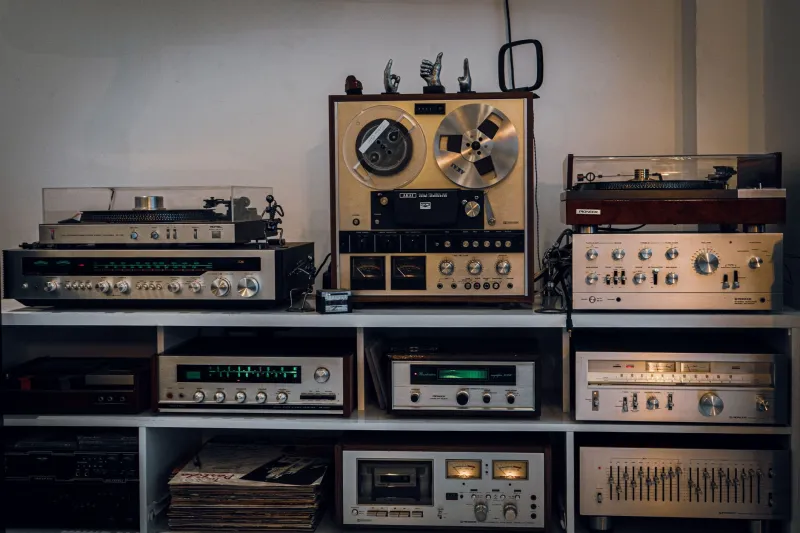
Most of us have a mental list of hi-fi upgrades we would like to make. A better DAC, a proper streamer, maybe one of those little £100 boxes that promises to fix the room with a microphone and a prayer. What we tend to ignore is the free stuff already bolted to the back of the amplifier. Specifically, the tape loop.
If you have bought a used integrated amp in the last decade or two, there is a decent chance it has a pair of sockets marked Tape Out and Tape In, or Rec Out and Playback, plus a button on the front called Tape Monitor. On plenty of British second-hand amps — the sort that turn up on Gumtree, in CeX, or at the back of a friendly local dealer — those sockets have not seen a cassette deck since the first Bush administration. They are also a genuinely useful line-level patch point.
What the tape loop actually is
In simple terms, Tape Out sends a fixed line-level copy of whatever source you have selected. Tape In takes a line-level signal back into the amplifier. The Tape Monitor switch tells the amp whether to play the source directly or to listen to the return from the tape socket.
That is the whole trick. You are not opening the case, soldering anything, or redesigning the amp’s gain structure. You are using a connection the manufacturer put there for cassette recording and playback, and repurposing it as an insert point. It is reversible in about ten seconds, which is more than can be said for most upgrades.
The usual warning applies: this is line level, not phono. Do not plug a turntable straight into it, and do not plug speaker outputs into it. It is for CD players, streamers, DACs, EQ units, cassette decks, miniDSP-style processors and other line-level boxes.
Patching in a graphic EQ
This is the classic use. Connect Tape Out to the input of your EQ, then the EQ’s output back to Tape In. Engage Tape Monitor and listen. With the monitor switch off, you hear the amp as normal; with it on, you hear the signal after the EQ.
Keep the EQ’s output near unity gain and make small cuts rather than huge boosts. A little reduction around 100–200Hz can tidy up a boomy Victorian terrace front room without turning the bass into a one-note thud. If the sound gets louder and harsher when you engage the loop, you have probably added gain somewhere. Back it off.
A cassette deck, but on purpose
If you have a cassette deck, the tape loop is its natural home. Tape Out goes to the deck’s line input, the deck’s line output comes back to Tape In, and the monitor button lets you compare source with tape. That is useful for checking whether the deck is working, setting record levels, or simply enjoying the slightly grubby charm of a tape copy.
It is also a good reminder that the tape loop was never a mysterious audiophile feature. It was a practical recording loop. We are just using it for playback processing now.
Room correction and DSP without the main-path drama
A cheap room-correction unit or DSP box can live here too. Tape Out feeds the processor, the processor’s output returns to Tape In, and the amp’s volume control still does the main volume job. Because the return comes back before the power amp, you can compare corrected and uncorrected sound with one button.
This is where the tape loop feels almost modern. You can try a miniDSP, an old graphic equaliser, or a budget room-correction unit without pulling your main system apart. If it improves things, keep it. If it adds hiss, hum or a weird digital latency, unplug it and pretend you never mentioned it.
The subwoofer caveat
A subwoofer crossover can be patched into a tape loop, but this is where you need to be honest about what the loop does. Tape Out is usually a fixed-level signal, so it does not follow the main volume control. If you feed a sub or a low-pass crossover from Tape Out, the bass may not track the main speakers as you turn the volume up and down.
That makes the tape loop better for a set-and-forget sub feed, or for a crossover with its own linked volume control, than for a purist two-way active setup. If your amp has pre-out and main-in sockets, those are usually the better place for a crossover. The tape loop is still handy for testing, but do not expect it to behave like a proper pre/power insert.
Gain, noise and the British mains hum
Three things bite people here. The first is gain. A processor with too much output will make the amp sound louder and coarser when the monitor is engaged. Set it so the level is broadly the same with the loop in and out, then adjust by ear.
The second is noise. Cheap wall-wart power supplies, long unshielded cables and processors with noisy outputs can all add hiss. Keep cables short, use decent screened leads, and if a USB power supply is causing trouble, try a different one. Do not lift the mains earth on anything. That is not a tweak; it is a hazard.
The third is ground loop hum. If the loop introduces a low buzz, try plugging the amp and the outboard box into the same mains socket or extension strip. Keep audio cables away from mains leads where you can. If the hum persists, an audio isolation transformer on the processor’s input or output can help, but fix the basics first.
The free upgrade you already own
In a market full of £100 streaming add-ons and subscription services, the tape loop is almost embarrassingly old-fashioned. It is also one of the few genuinely free upgrades left. It costs nothing to try, it does not alter the amplifier, and it gives you a proper comparison button. If your amp has one, have a look at the back. The most useful socket in your system might be the one you have never plugged anything into.