Why Your Telly Sounds Like It’s Mumbling Through a Duvet — and the UK Living Room Fix
The duvet effect
You sit down for a quiet Sunday-night drama. The credits roll, the music swells, and then two characters start talking as if they’re sharing a secret through a duvet. You nudge the volume up. Two minutes later a car door slams and the whole flat shakes. You nudge it down again. By the third scene you’ve turned on subtitles and accepted that your £700 telly is basically a very expensive photo frame with a murmur.
Welcome to what you might call mumblecore cinema — except it isn’t an indie film genre any more. It’s the default experience of watching telly in a typical UK living room. Streaming dramas, BBC iPlayer mixes and big-budget films all seem to suffer from the same problem: dialogue intelligibility. The words are there, technically. They’re just trapped under a pile of sound design.
This isn’t just a moan. It’s the sort of thing that generates Ofcom complaints, late-night volume guilt in flats and a generation of viewers who now reach for subtitles before they reach for the remote. The good news is that most of it is fixable. Not always perfectly, and not always cheaply, but fixable.
Why modern telly sound got so awkward
Part of the problem is the mix. Modern films and dramas are built for cinemas, then folded down for homes. A cinema mix has huge dynamic range: whispers are quiet, explosions are loud, and the dialogue sits in the centre channel where it can be steered precisely. When that mix is squashed into your telly’s built-in speakers — or a cheap soundbar — the centre-channel information gets smeared across left and right drivers that are often inches apart and pointing at the back of your sofa.
Then there’s dynamic range compression. In theory it should help: it reduces the gap between quiet and loud bits so you can hear everything at a sensible volume. In practice, heavy compression can flatten the contrast between dialogue and background music, making speech sound shouty yet oddly indistinct. Loudness normalisation adds another layer. A streaming app may turn down the overall level, so you crank the volume, and then an advert or a title sequence arrives like a brick through the window.
Centre-channel handling is the other big one. If you’re using the TV’s own speakers, there is no real centre channel — just a phantom one created by the set’s processing. A £150 soundbar can be a genuine improvement over a slim TV, but many budget bars use virtual surround processing that pushes dialogue around the room rather than pinning it to the screen. A proper 3.1 setup — left, right, centre and subwoofer — gives speech its own speaker and its own level control. That’s why a modest 3.1 system often beats a more expensive soundbar for dialogue clarity.
The British living-room problem
UK living rooms are not cinemas. They’re often narrow, shared with a radiator, a bookshelf and a neighbour on the other side of a Victorian party wall. Late-night volume guilt is real. You want to hear the dialogue in a Nordic noir without the gunshot echoing through next door’s bedroom. That’s why night mode exists, and why subtitles have become a default setting for plenty of people who would rather not admit it.
There’s also the BBC iPlayer factor. Not every programme is mixed the same way, and not every app handles audio the same way. A drama that sounds fine on one service can sound muffled on another because of how the app is passing the audio stream to your telly or bar. If you’ve ever switched from a streaming stick to the TV’s built-in app and noticed a difference, you’re not imagining it.
A practical tuning guide for clearer speech
1. Start with the telly, not the soundbar
Dig into the TV’s sound menu and turn off any fake surround or ‘clear voice’ processing before you add more processing downstream. Set the digital audio output to PCM if you’re using a basic soundbar and running into lip-sync or dropouts; use bitstream or passthrough if you have a proper AV receiver that can decode Dolby or DTS itself. Check that the TV isn’t set to a night mode of its own — stacked night modes can make dialogue weirdly pumpy.
2. Use dialogue enhancement carefully
Most soundbars have a dialogue or voice mode. Try it. If it makes speech sound thin or phasey, back it off. A small boost is usually better than maximum. If your bar has a separate centre-channel level, nudge it up by 2–3 dB rather than turning the whole system up. On an AV receiver, do the same: raise the centre channel a touch, then re-run or check the speaker levels so you’re not just making everything louder.
3. Sort out night mode
Night mode compresses dynamic range so explosions don’t wake the street. It can genuinely help dialogue in flats, but it can also make quiet speech sound artificial. Use it for late-night viewing, then switch it off for a weekend film when you can let the system breathe. If your bar has both night mode and dialogue enhancement, try night mode plus a small centre boost rather than both at maximum.
4. Place the bar and speakers properly
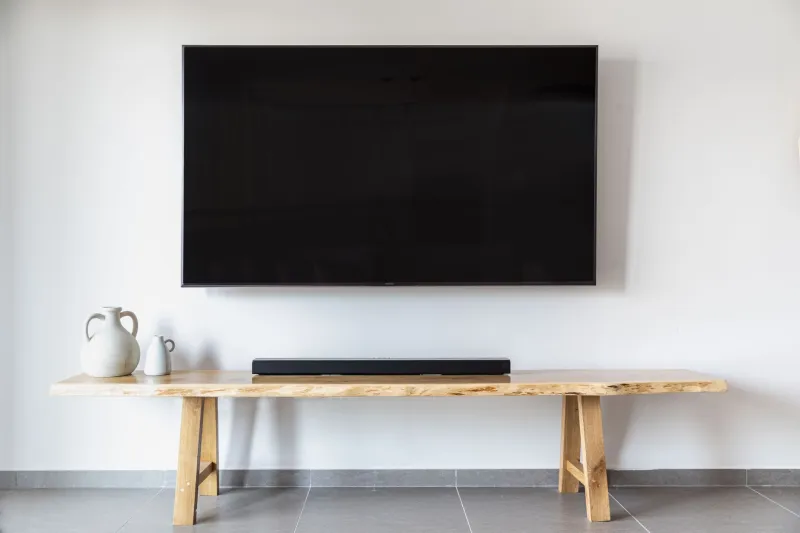
A soundbar shoved inside a TV cabinet is a soundbar in a wooden coffin. Pull it forward so it sits flush with or just beyond the cabinet edge. If it has up-firing or side-firing drivers, give it space. For a 3.1 system, put the centre speaker directly above or below the TV, angled up or down towards your ears, and keep it as close to the screen as practical. The left and right speakers should form a rough triangle with your listening position. The subwoofer can go near a wall, but not jammed into a corner if the bass turns boomy.
5. Treat the room a little
You don’t need acoustic panels to improve dialogue. A rug on a hard floor, curtains that actually cover the window and a sofa that isn’t pressed against the rear wall all help. Hard, bare rooms make speech splashy and hard to follow. If your living room is all laminate and glass, a cheap rug and a couple of soft furnishings will do more for intelligibility than another soundbar preset.
6. Check the source settings
In Netflix, Prime Video and Disney+, look for the audio track you’re actually using. Sometimes the default is a 5.1 mix that your bar is downmixing badly. Try the stereo or ‘English [UK]’ track if dialogue is the priority. On BBC iPlayer, check the TV or device’s audio output settings rather than assuming the app is at fault. And if a programme is still murky, switch subtitles on without guilt. They’re not a failure. They’re a tool.
The honest verdict
A £150 soundbar can make telly sound better than the TV’s own speakers, but it won’t magically fix a bad mix. A proper 3.1 setup with a discrete centre channel gives you the control that dialogue-heavy drama needs. Neither will solve every mumble, because some mixes are just difficult. But before you spend £1,000 on a new system, spend twenty minutes on placement, centre-channel level and night-mode settings. Your neighbours will thank you, and you might finally hear what the Detective Inspector is actually saying.